NurseGrid: Nursing Calendar
- 4.2
- Rating
- 100.00K
- Installs
- Free
- Price

 Analysis by App-foxy
I spend enough time around rotating schedules to know that a paper calendar or a general-purpose calendar app can become surprisingly frustrating. A nursing schedule is not just a list of appointments: it changes how you plan sleep, meals, commuting, family time, and the occasional request to exchange a shift. NurseGrid: Nursing Calendar is built around that reality rather than asking nurses to reshape their work into a standard calendar.
After using it as a dedicated medical scheduling app, I found its main appeal easy to understand. It puts a nurse’s shifts at the center, then adds tools for communicating about those shifts and connecting with coworkers. That focus makes it more practical than a blank calendar for many hospital and clinic routines, although it also means it is not a full replacement for every scheduling or workplace communication system.
How NurseGrid fits into a real nursing routine
The app comes from HealthStream Inc and is free to use. It is rated for Everyone, runs on Android from version 8.0 onward, and has been available since August 13, 2015. Its current reach is substantial, with over 100 thousand installs, a 4.2 average from around 4.5 thousand ratings, and roughly 1.3 thousand written reviews. Those figures suggest an established tool rather than a brand-new experiment, but they do not remove the need to check whether its workflow matches your workplace.
You May Also Like

 Blood Strike: 2.5 Anniversary
Blood Strike’s Loadouts Turn Every Drop Into a Tactical Gamble
A close look at Blood Strike’s custom loadouts: how fast access to signature weapons reshapes its battle royale rhythm, rewards preparation, and narrows the gap between fights.

 Pandora - Music & Podcasts
Pandora’s Music Is Easy to Start, but Harder to Recover
Pandora’s strength is its low-effort path from a seed to a station. Its weak spot is how much confidence it asks you to place in connection, setup, and quiet recovery.

 8 Ball Pool
 Is Built on Rivalries, Rematches, and Routine
A close look at the rivalries, rematches, shared routines, and unanswered safety questions that turn a quick pool match into a persistent mobile community.

 Samsung Music
’s Quiet Strength Is Playing What You Already Own
Its reach comes less from spectacle than from dependable access to a personal library. That simplicity is both the app’s strongest retention engine and its ceiling.

 AccuWeather: Weather Radar
AccuWeather Review: A Quick, Clear Forecast for Everyday Decisions
For everyday plans, the best forecast is the one you can understand quickly. AccuWeather makes rain timing, radar, and local conditions easy to act on, with a few trade-offs.

 Hill Climb Racing
Why Hill Climb Racing Still Turns Crashes Into One More Run
A tiny car, a bumpy hill and one more upgrade: Hill Climb Racing keeps resurfacing because its simple chaos makes every near-miss feel personal.
More From Our News Desk



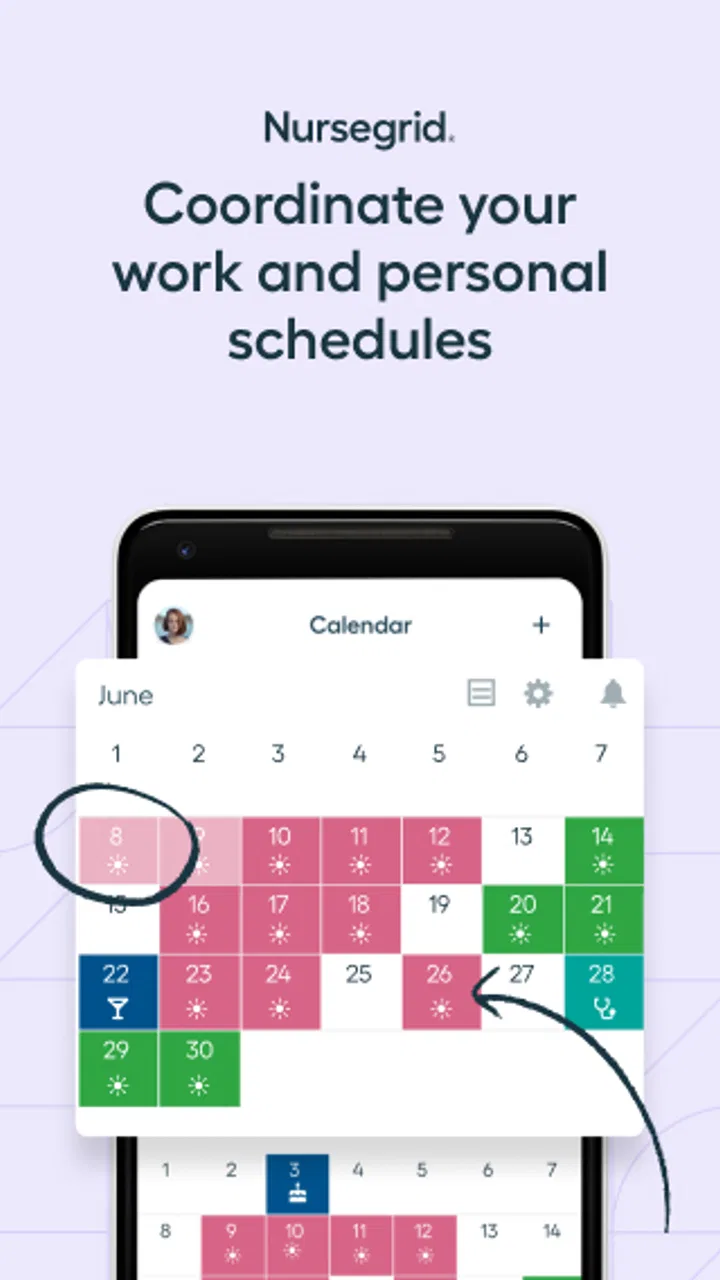
What I like first is the sense of purpose. Instead of opening a general calendar and manually deciding how to label every shift, I can think in terms of workdays, shift swaps, and colleagues. That distinction matters when a schedule contains repeated patterns, long shifts, nights, weekends, and last-minute changes. The app’s identity is clearly aimed at nurses, not at everyone who happens to have appointments.
A realistic example is a nurse finishing a run of night shifts and trying to organize the following week. A normal calendar may show the dates, but it does not naturally answer the practical questions: which coworker might be available for an exchange, where should a shift-related conversation happen, and how can the work calendar stay separate from personal commitments? NurseGrid brings those work-focused actions closer together, which can reduce the need to jump between unrelated apps.
The most useful way to approach it is as a personal scheduling hub with social and communication elements. I would not treat it as the official authority for a hospital roster unless the employer specifically uses it that way. The safest habit is to compare the app with the workplace’s official schedule whenever a manager changes an assignment, especially around overtime, leave, or a shift that affects payroll.
The calendar is strongest when your schedule changes often
For a nurse with a stable Monday-to-Friday pattern, a regular calendar may be enough. NurseGrid becomes more interesting when the schedule is irregular or when shifts need to be discussed with other people. The dedicated format makes it easier to see work as a sequence of obligations rather than isolated events.
I also appreciate the mental difference between a personal calendar and a professional shift calendar. A general app is usually designed around meetings and reminders. This one is designed around the fact that a shift can control an entire day, including the hours before and after it. That makes it easier to plan recovery time instead of accidentally filling every empty-looking space with errands.
One practical tip is to enter or review the schedule before adding personal plans. That simple order prevents a common mistake: treating a night shift as if the date alone tells the whole story. I would then check the calendar at the start of each week and again after any workplace announcement. A dedicated app helps, but it still depends on the user keeping its schedule current.
Shift swaps are more useful when handled carefully
The swap function is one of the reasons to choose a nursing-specific tool over a conventional calendar. Rather than privately messaging several coworkers and trying to remember who said what, the app is intended to support the exchange process and the communication around it.
That does not mean every proposed swap is automatically approved. I would still confirm the change through the official workplace process. Staffing rules, qualifications, rest requirements, and manager approval can all matter. The app can make the conversation more organized, but it should not be mistaken for permission to alter a roster on its own.
A less obvious benefit is that a swap conversation can preserve context better than a scattered series of text messages. If I am asking someone to cover a particular shift, having the request tied to the calendar entry reduces the chance of confusing dates or times. Even so, I would avoid relying on memory after a verbal agreement. Once the exchange is accepted by the workplace, I would update the relevant records and make sure the final assignment is visible in the official channel as well.
Another trade-off is that social scheduling only works well when the people I need are actually using the same service or are reachable through its available communication features. If my entire team uses a different system, the value of the network side drops, while the calendar may still remain useful for my own planning.
Communication without turning the calendar into a chat replacement
NurseGrid includes communication and networking as part of its nursing-focused approach. I see that as a convenience rather than a reason to abandon established workplace channels. A quick shift-related conversation belongs in a tool that the relevant people check, and a formal staffing decision belongs wherever the employer requires it.
The advantage is context. A message connected to a shift is easier to interpret than a message that simply says “Can you take Friday?” When several dates and shift types are involved, the calendar provides a visual anchor. That can be especially helpful for nurses who work across changing rotations or who need to coordinate with colleagues outside their usual pattern.
The limitation is that communication features can create a false sense of completeness. A message sent in the app is not necessarily the same as a documented management decision. I would use the app to start or simplify a conversation, then follow the workplace’s normal confirmation process. This distinction is important for anyone considering the app for a large team rather than for personal organization.
What has changed, and what that means for current users
The app’s history matters because it has been around since 2015, yet the available product facts do not provide a detailed change log that I can responsibly turn into a list of named releases. I would therefore avoid assuming that every feature has evolved in a particular way or that a specific recent update solved a particular problem. The reliable picture is broader: this is an established nursing calendar whose identity continues to center on shifts, swaps, networking, and communication.
That long presence can be reassuring for someone who dislikes rebuilding a workflow every few months. A tool that remains recognizable over time is easier to recommend to a colleague because the basic purpose is clear. At the same time, longevity is not proof that every hospital’s current process will fit it. Workplaces change, and a personal calendar app may not change at the same pace.
For existing users, the main effect of a focused product is continuity. If you already think in terms of a dedicated shift calendar, moving between work weeks should feel more natural than maintaining a collection of generic events. The app’s free price also lowers the barrier to testing it alongside an existing calendar rather than forcing an immediate all-or-nothing switch.
I would make that transition gradually. Keep the official roster available, enter a limited period into NurseGrid, and compare the two after the first schedule change. This exposes practical friction early: whether the shift labels suit your workplace, whether coworkers are reachable in the way you expect, and whether the app fits your personal routine without creating duplicate work.
Where the dedicated approach saves time
The first saving comes from reducing translation. In a general calendar, I might create an event, choose a color, type the shift details, and repeat that process across a rotating schedule. In a nursing calendar, the workflow is conceptually closer to the task I am actually performing: recording work and seeing it in a form that supports shift-related decisions.
The second saving is cognitive rather than mechanical. When work and personal appointments share one crowded calendar, a free afternoon can look available even though it is needed for recovery after a night shift. A work-centered view makes that risk more visible. I found this particularly useful when planning errands around consecutive shifts rather than simply checking whether a date contained an event.
The third is coordination. A calendar entry that can lead into a swap or conversation is more useful than a static reminder when the schedule is shared among colleagues. That is a meaningful difference from a basic calendar, even if it does not replace the employer’s scheduling system.
Where ordinary alternatives may be better
A general calendar can be the better choice for someone whose main need is a complete life-planning system. If I need detailed family calendars, school events, travel reservations, recurring personal tasks, and broad integration with other services, a standard calendar may offer a more familiar all-purpose environment.
A hospital’s official scheduling platform is also the better authority for confirmed assignments, policy-sensitive swaps, leave, and payroll-related details. NurseGrid can sit beside that system, but I would not let a personal app become the only place where I check a critical change.
For team-wide communication, the best option may be whichever channel the whole unit already follows consistently. A beautifully focused app is less useful if the people involved do not open it. In that situation, I would use NurseGrid for my own planning and keep official conversations in the established workplace channel.
The app is also not the right fit for someone who wants a broad medical reference tool, patient-record system, or clinical decision aid. Its medical category describes its audience and purpose, not a substitute for professional clinical software. Its value is scheduling and coordination around nursing work.
Small workflow lessons that make a difference
My first recommendation is to treat the calendar as a planning layer, not the source of truth. Enter shifts early, but verify any later change against the official roster. This is especially important when a swap is discussed informally. The app can help me remember what I requested; it cannot remove the responsibility to confirm what was approved.
Second, use the schedule to protect recovery time. After a night shift, I would not judge availability by looking only at the next date. I would consider the sleep period and the transition between shifts before accepting a personal commitment or offering to cover someone else. This is a subtle advantage of seeing work patterns together rather than handling each request separately.
Third, be selective about networking. Connecting with relevant coworkers can make swaps easier, but an unnecessarily broad network can make the experience noisier and less useful. I would start with the people involved in my unit or usual rotation, then expand only if that improves real coordination.
Fourth, review the app after a schedule change rather than assuming an old pattern still applies. Rotations can look repetitive until one weekend, night, or requested exchange breaks the pattern. A short weekly check is more reliable than trusting a recurring expectation.
Finally, keep a clear boundary between convenience and confidentiality. I would share only the work information needed for scheduling and avoid placing patient details or unnecessary clinical information into casual conversations. The app is about coordinating shifts, not documenting patient care.
Questions I would ask before relying on it
If you are wondering whether it works for a particular hospital, the practical answer is to test the coworker workflow rather than judging the calendar alone. Ask whether the people you actually swap with use it, whether your manager recognizes its requests, and whether the official roster remains easy to check. A personal schedule can be useful even when the team does not adopt it, but the networking benefit depends heavily on participation.
If you are switching from a paper planner, start with a short period instead of recreating your entire work history. Enter upcoming shifts, check them against the roster, and see whether the visual format helps you plan sleep and commitments. This gives you a fair test without creating a large setup task.
If you are switching from a general calendar, keep the general calendar for personal events at first. NurseGrid does not need to replace everything immediately. Running both briefly can show whether the nursing-specific view reduces confusion or merely duplicates entries. If duplication becomes tiring, decide which app should hold personal plans and which should hold work shifts.
If you are concerned about a last-minute change, keep the habit of checking the official communication route. The app is useful for organizing your own view and supporting a conversation, but a critical assignment should be confirmed where your employer expects it to be confirmed.
If you are looking for a free tool, this one is easy to try because there is no purchase price to weigh against the setup effort. I would still evaluate it by time saved and clarity gained, not simply by cost. A free calendar that requires constant duplicate entry may be less useful than a paid or employer-provided system that everyone already follows.
My final view after using it as a nursing calendar
NurseGrid: Nursing Calendar succeeds because it takes a specific problem seriously. Rotating shifts, exchanges, and coworker communication do not fit perfectly into a generic appointment calendar, and this app gives them a more natural home. I found its greatest strength in the way it connects personal planning with the realities of nursing work without pretending to be the official staffing authority.
I would recommend it to nurses who manage changing schedules, regularly discuss swaps, or want a clearer separation between work shifts and ordinary personal events. It is particularly worth trying when a paper calendar feels too static but a general calendar feels too broad.
I would be more cautious for nurses whose workplace already has a complete, universally used scheduling and communication platform. In that case, the extra calendar may create duplicate maintenance. I would also skip it as a primary solution if you need clinical records, detailed team administration, or a comprehensive family-planning system.
The product’s established history, free access, Everyone rating, and support for Android 8.0 or newer make experimentation straightforward. Still, the sensible approach is to use it alongside official scheduling practices until you know how well it fits your unit. Its real value is not replacing every calendar; it is making nursing shifts easier to see, discuss, and plan around.
FAQs for NurseGrid: Nursing Calendar
01What is NurseGrid: Nursing Calendar used for?
NurseGrid: Nursing Calendar is designed to help nurses organize and manage their work schedules in one place. You can create shifts, view upcoming assignments in a calendar, track workdays and days off, and share schedule details with colleagues. It is especially useful for nurses who work rotating shifts, multiple positions, or changing schedules and want a clearer alternative to paper notes or scattered calendar entries.
02Can I use NurseGrid to coordinate schedules with coworkers?
Yes. One of NurseGrid’s main features is schedule coordination with other nurses. After creating or joining a workplace group, you can compare shifts, identify when colleagues are working, and communicate about coverage or availability. The usefulness of this feature depends on whether your coworkers also use the app and enter accurate information, so it should support—not replace—your employer’s official scheduling system.
03Does NurseGrid replace my hospital or employer’s official schedule?
No. NurseGrid should be treated as a personal scheduling and organization tool rather than an official source of employment information. Your hospital, clinic, or staffing department remains responsible for publishing the authoritative schedule, changes, cancellations, and policy details. Before relying on an entry in the app, compare it with your workplace’s official system, especially when shifts are changed at short notice.
04Is NurseGrid free to download, and are there any paid features?
NurseGrid can generally be downloaded without an upfront charge, but availability of features, subscriptions, or optional paid services may vary by platform and region. Before confirming any purchase, review the current listing in the Google Play Store or Apple App Store for pricing, trial terms, and recurring billing information. Checking these details is important because app features and plans can change over time.
05Is my work schedule and personal information safe in NurseGrid?
Because NurseGrid handles schedule-related information, you should review its current privacy policy and permission requests before using it. Avoid entering confidential patient information, medical details, passwords, or other protected workplace data. Use a strong account password, keep your device updated, and only share schedules with people you trust. The app is intended for organizing shifts, not for storing sensitive clinical records.
Pros
- Quickly builds schedules from shifts and availability.
- Useful shift reminders help reduce missed workdays.
- Makes swapping shifts with coworkers more convenient.
- Clear calendar view simplifies planning personal commitments.
- Designed specifically for nurses and healthcare work patterns.
Cons
- Some features may require a paid subscription.
- Coworker participation is needed for smoother shift coordination.
- Calendar setup can take time for complex rotations.
- Availability and features may vary by workplace.
- Personal data and schedule details require privacy consideration.

NurseGrid: Nursing Calendar
Gallery